Your cart is currently empty!
Tag: seedance 2.0 guide
-
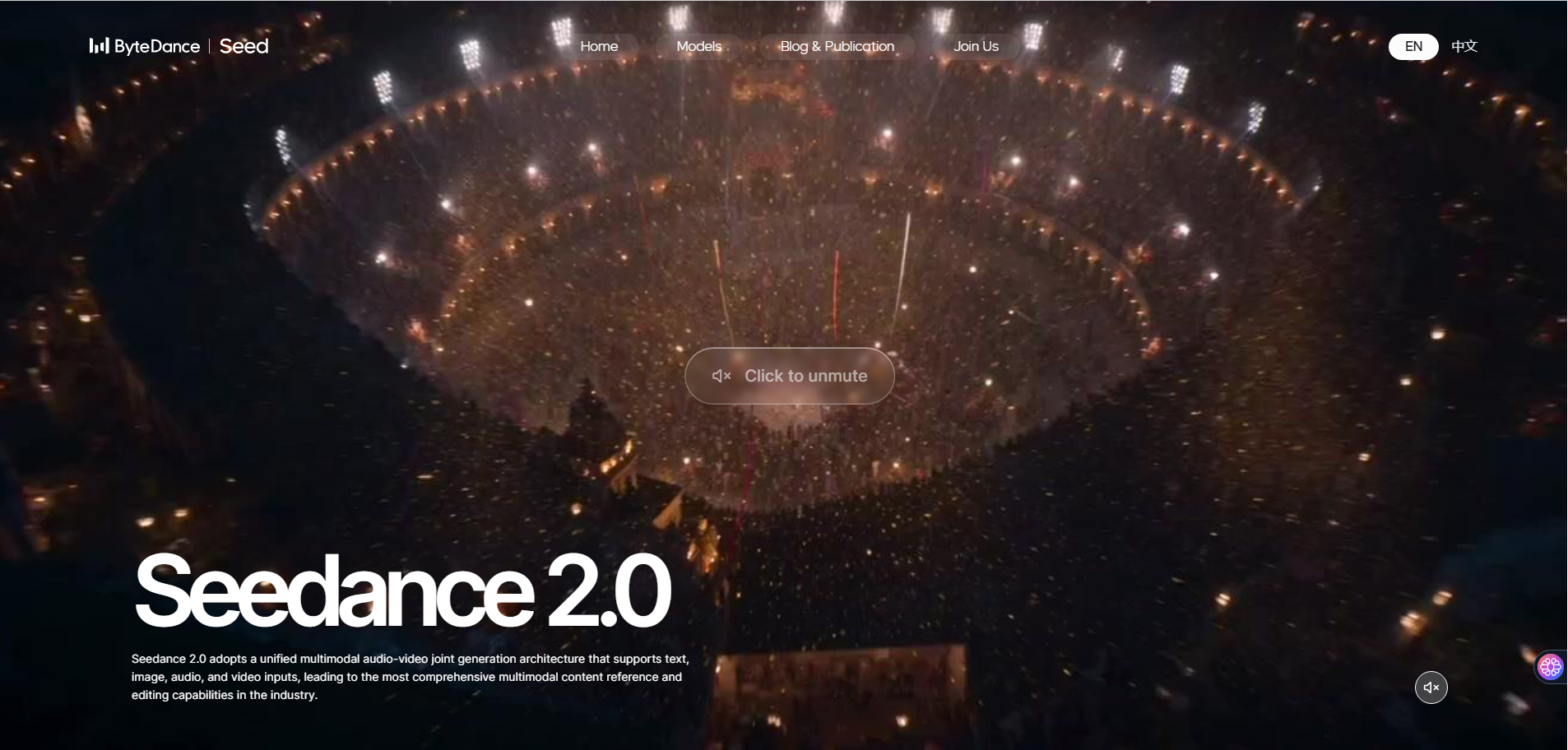
Seedance 2.0: ByteDance’s AI Video Generator, Complete Guide for Developers & Creators
On February 10, 2026, ByteDance dropped a bombshell on the AI video generation space. Seedance 2.0,their next-generation multimodal video model,can turn a simple text prompt into a cinematic, multi-shot video with synchronized audio in under 60 seconds. And it costs less than $10/month.
Within days, Seedance 2.0 videos flooded social media. A clip of “Tom Cruise” fighting “Brad Pitt” on a rooftop went viral. Hollywood responded with cease-and-desist letters. Google Trends showed +50% search spikes for “seedance ai 2.0” and “seedance bytedance.” The AI video generation market will never be the same.
Whether you are a developer looking to integrate AI video generation into your product, a content creator exploring new tools, or simply curious about what ByteDance built,this guide covers everything. We will walk through the features, show you how to use it step by step, provide production-ready Python code for the API, compare it against Sora 2 and Kling 3.0, break down the pricing, and address the controversy.
Let’s dive in.
What Is Seedance 2.0?
Seedance 2.0 is ByteDance’s latest AI video generation model built on a unified multimodal audio-video joint generation architecture. Unlike previous models that handled text, images, and audio separately, Seedance 2.0 processes all four modalities,text, images, video clips, and audio,simultaneously in a single generation pass.
The result? You can upload a character photo, a reference dance video, a background music track, and a text prompt describing the scene,and Seedance 2.0 produces a coherent, multi-shot video with lip-synced dialogue, matching background music, and consistent character appearance throughout.
Key facts at a glance:
Detail Specification Developer ByteDance (Seed Team) Release date February 10, 2026 Architecture Diffusion Transformer (multimodal) Max resolution 2K (up to 1080p via API) Video duration 4–15 seconds per generation Generation time 30–120 seconds Input types Text, images, video, audio (up to 12 files) Audio Native generation with lip sync Aspect ratios 16:9, 9:16, 4:3, 3:4, 1:1, 21:9 Platform Dreamina (Jimeng), CapCut, Volcengine API launch February 24, 2026 (official via Volcengine) Pricing From ~$9.60/month (Jimeng Standard) The Evolution: From Seedance 1.0 to 2.0
Seedance did not appear out of nowhere. ByteDance’s Seed Team spent roughly 8 months evolving from a research paper to the most capable AI video model in the world. Understanding this evolution helps you appreciate what 2.0 actually changed.
Timeline
Version Date Key Milestone Seedance 1.0 June 2025 Research paper submitted to arXiv by 44 researchers. Text-to-video only, 5–8 second silent clips. Seedance 1.5 Late 2025 Added limited image reference and basic audio sync. Available on Jimeng platform in China. Seedance 2.0 February 10, 2026 Full multimodal architecture. 12-file input, native audio, multi-shot narratives, up to 15 seconds. What Changed at Each Stage
Video Length & Coherence
Seedance 1.0 topped out at roughly 5–8 seconds of coherent video before temporal consistency broke down. Version 1.5 pushed this to ~10 seconds. Seedance 2.0 generates up to 15 seconds while maintaining character consistency, logical scene flow, and physical accuracy throughout the entire clip.
Motion & Physics
Version 1.0 produced basic motion but struggled with complex interactions,objects would clip through each other, gravity was inconsistent, and fabric looked painted on. Seedance 2.0 incorporates physics-aware training objectives that penalize implausible motion. The result: gravity works, fabrics drape correctly, fluids behave like fluids, and object interactions look substantially more believable. The model can now generate multi-participant competitive sports scenes,something previous versions could not handle.
Input Capabilities
This is where the leap is most dramatic:
Capability 1.0 1.5 2.0 Text prompts Yes Yes Yes Image references No Limited (1–2) Up to 9 Video references No No Up to 3 Audio references No No Up to 3 Total file limit 0 1–2 12 @ Reference system No No Yes Audio Integration
Version 1.0 was completely silent. Version 1.5 could synchronize audio with major visual events but missed fine details,footstep timing was off, ambient sounds did not match the scene. Seedance 2.0 captures nuances: clothing rustling sounds vary with the fabric type visible in video, environmental acoustics match spatial characteristics, and music responds not just to action intensity but to subtle emotional beats conveyed through visual performance.
Controllability
Seedance 1.5 gave you a text box and hoped for the best. Seedance 2.0 puts you in the director’s chair,you control character appearance, camera movement, choreography, audio, and editing rhythm independently through the @ reference system. The model’s instruction-following and consistency performance are fully upgraded, enabling anyone to command the video creation process without professional training.
What Makes Seedance 2.0 Different?
The AI video generation space already has strong players,OpenAI’s Sora 2, Google’s Veo 3.1, Runway Gen-4, and Kuaishou’s Kling 3.0. So what makes Seedance 2.0 stand out?
1. Multimodal 12-File Input System
This is the headline feature. Seedance 2.0 is the only model that accepts up to 12 reference files simultaneously across four modalities:
Input Type Maximum Purpose Images Up to 9 Character appearance, scene setting, style reference Video clips Up to 3 (15s combined) Motion reference, camera work, choreography Audio files Up to 3 MP3s (15s combined) Background music, ambient sounds, timing Text prompt Natural language Scene description, narrative direction No other model comes close to this level of multimodal control. Sora 2 accepts text and a single image. Kling 3.0 supports text and image. Seedance 2.0 lets you orchestrate an entire production with multiple reference assets.
2. The @ Reference System
When you upload files, Seedance 2.0 assigns each one a label,
@Image1,@Video1,@Audio1,and you reference them directly in your text prompt. This gives you precise control over how each asset is used:Use @Image1 as the main character's appearance. Follow the camera movement from @Video1. Apply the choreography from @Video2 to the character. Use @Audio1 for background music. The character walks through a neon-lit Tokyo street at night, rain reflecting city lights on the pavement.This is a game-changer for creators who want precision rather than hoping the AI interprets their vision correctly.
3. Native Audio Generation
Previous video generation models produced silent clips. Seedance 2.0 generates synchronized audio natively:
- Dialogue with lip sync,Characters speak with accurately synced mouth movements
- Background music,Automatically generated or matched to uploaded audio
- Ambient sound effects,Environmental audio that matches the visual scene
- Beat synchronization,Video cuts and motion timed to the music rhythm
Note: ByteDance suspended the voice-from-photo feature on February 10 after concerns about generating voices without consent. The dialogue feature now requires explicit audio input.
4. Multi-Shot Storytelling
Single-clip generation is table stakes in 2026. Seedance 2.0’s real power is multi-shot narrative generation:
- Character consistency,The same character maintains their appearance across multiple shots and camera angles
- Natural camera transitions,Wide shot to close-up, tracking shots, dolly movements
- Logical story flow,Scenes connect narratively, not just visually
- Logo and text preservation,Brand elements stay intact throughout the sequence
5. Physics and Motion Quality
Seedance 2.0 shows significant improvements in physical realism:
- Objects interact with realistic physics (gravity, collisions, fluid dynamics)
- Human motion is natural,walking, running, dancing, fighting
- Fabric drapes and moves realistically
- Lighting responds correctly to scene changes
- No more “melting faces” or “extra fingers” (mostly)
How to Access Seedance 2.0: 3 Methods
As of February 2026, there are three ways to use Seedance 2.0:
Method 1: Dreamina (Jimeng),Primary Platform
Dreamina (known as Jimeng in China) is ByteDance’s creative AI platform and the primary way to access Seedance 2.0.
- Go to dreamina.capcut.com
- Sign up using Google, TikTok, Facebook, CapCut, or email
- Navigate to the AI Video Generator tool
- Select Seedance 2.0 as the model
- Upload your reference files and write your prompt
- Hit generate,results arrive in 30–120 seconds
Pricing: New users can start with a 1 RMB (~$0.14) trial. Daily free login points allow limited free generation. The Standard membership is approximately $9.60/month.
Method 2: Volcengine (BytePlus),Enterprise & API
Volcengine is ByteDance’s cloud platform (similar to AWS). It offers enterprise-level access with a workstation interface for testing. The official REST API launches February 24, 2026 through Volcengine and BytePlus.
Method 3: Third-Party API Aggregators,For Developers Now
If you cannot wait for the official API, several third-party platforms already offer Seedance 2.0 endpoints through OpenAI-compatible interfaces. These include platforms like Apiyi, Kie AI, and Atlas Cloud. The benefit: your integration code will require minimal changes when the official API launches.
Method 4: Little Skylark (Xiaoyunque),Free Unlimited Access
This is the hidden gem that is trending +4,650% on Google right now. Little Skylark (小云雀 / Xiaoyunque) is a separate ByteDance creative app that currently offers zero-point deduction for Seedance 2.0 generation,meaning unlimited free videos during the promotional period.
How to set it up:
- Download the Little Skylark (Xiaoyunque) app from iOS App Store or Google Play
- Create an account,new users receive 3 free Seedance 2.0 generations immediately upon login
- You also receive 120 free points every day just by logging in
- Navigate to the AI video section and select Seedance 2.0
- Generate videos at no cost during the current promotional period
Little Skylark vs Dreamina:
Feature Little Skylark Dreamina Free generations 3 on signup + 120 daily points (currently unlimited) Limited daily login points Seedance 2.0 cost 0 points (promotional) Points deducted per generation Platform iOS & Android app Web + iOS + Android Language Primarily Chinese (use browser translation) English, Chinese, Japanese, others Best for Free experimentation and testing Production use and English UI Note: The free promotional period may end without notice. If you want to experiment with Seedance 2.0 before committing to a paid plan, Little Skylark is currently the best option.
Method 5: ChatCut,AI Video Editing + Seedance Generation
ChatCut is an autonomous AI video editing agent that has exploded in popularity alongside Seedance 2.0,trending at +4,700% on Google. It does not just generate video; it edits video using natural language commands, and it can call Seedance 2.0 as an integrated tool.
What makes ChatCut + Seedance powerful:
- Natural language editing,Tell ChatCut “remove the awkward pause at 0:03” or “speed up the middle section” and it executes the edit automatically
- Seedance as a tool,ChatCut can call Seedance 2.0 to generate new clips, then seamlessly integrate them into your existing edit
- The “Nano Banana” pipeline,A popular community trick: use an image generator (like Nano Banana) to create a high-quality starting frame, then feed it into Seedance 2.0 through ChatCut for superior results
- End-to-end workflow,Generate → edit → refine → export, all through natural language prompts without switching tools
How to use it:
- Go to chatcut.io and sign up
- Upload existing footage or use Seedance 2.0 to generate new clips
- Use natural language commands to edit:
"Cut to the beat of the music","Remove repeated takes","Restructure for a 30-second Instagram Reel" - ChatCut orchestrates Seedance generation and editing autonomously
- Export the final video
If you need to go from raw idea to polished, edited video without learning traditional editing software, the ChatCut + Seedance combination is currently the fastest path.
Step-by-Step Tutorial: Creating Your First Seedance 2.0 Video
Let’s walk through creating a video from scratch using Dreamina.
Step 1: Set Up Your Workspace
After signing in to Dreamina, select the Seedance 2.0 video generator. You will see three areas: the file upload panel (left), the prompt editor (center), and the settings panel (right).
Step 2: Upload Your Reference Assets
Upload the files you want the AI to reference. Each file gets an automatic label:
- Upload a character photo → labeled
@Image1 - Upload a dance reference video → labeled
@Video1 - Upload background music → labeled
@Audio1
Pro tip: Prioritize your most important assets. The model pays more attention to files explicitly referenced in the prompt.
Step 3: Write Your Prompt Using @ References
This is where the magic happens. Reference your uploaded files directly in the prompt:
@Image1 as the main character. She is standing on a rooftop
overlooking a futuristic city at sunset. Apply the dance moves
from @Video1 as she begins to dance. Background music from
@Audio1. Camera slowly orbits around her. Cinematic lighting,
lens flare, 4K quality.
Step 4: Configure Generation Settings
Setting Recommended Value Notes Duration 8 seconds Start short, extend later if needed Aspect ratio 16:9 Use 9:16 for TikTok/Reels, 1:1 for Instagram Resolution 1080p 2K available on Dreamina, 1080p via API Step 5: Generate and Iterate
Click Generate. The video typically appears in 30–120 seconds depending on complexity and resolution. If the result is not perfect:
- Refine your prompt,Be more specific about which file serves which purpose
- Use the extend feature,Add seconds to a clip you like:
"Extend @Video1 by 5 seconds" - Try different seeds,The same prompt produces different results with different seed values
- Adjust reference weights,Emphasize certain inputs over others
Common @ Reference Patterns
What You Want Prompt Pattern Set character appearance @Image1 as the main character's lookCopy camera movement Follow the camera motion from @Video1Replicate choreography Apply the dance moves from @Video1 to @Image1Set the first frame @Image1 as the first frameAdd background music Use @Audio1 for background musicExtend an existing video Extend @Video1 by 5 seconds, continue the sceneTransfer style Apply the visual style of @Image2 to the sceneManga-to-animation Animate @Image1 (manga page) into a scenePrompt Engineering Guide: Write Prompts That Actually Work
The difference between a mediocre Seedance 2.0 video and a cinematic one is almost always the prompt. After analyzing hundreds of successful generations, here is the formula that consistently produces the best results.
The Director’s Formula
Structure every prompt using this pattern:
Subject + Action + Camera + Scene + Style + Constraints
Subject: [who/what, age or material if relevant]
Action: [specific verb phrase, present tense]
Camera: [shot size] + [movement] + [angle], [focal length]
Style: [one visual anchor: film/process/artist], [lighting], [color]
Constraints: [what to exclude], [duration], [consistency notes]
Critical rule: Keep prompts between 30–100 words. The model performs best with concise, laser-focused prompts. Pushing beyond 100 words causes results to degrade noticeably.
Camera Vocabulary Seedance 2.0 Understands
Category Terms the Model Recognizes Shot sizes Wide, medium, close-up, extreme close-up, full body Movement Dolly in/out, track left/right, crane up/down, handheld, gimbal, orbit, push Speed Slow, medium, fast (pair with movement: “slow dolly in”) Angles Eye level, low angle, high angle, bird’s eye, Dutch angle Lens feel Wide (24-28mm), normal (35-50mm), telephoto (85mm+) Special Hitchcock zoom, speed ramp, rack focus, whip pan 5 Copy-Paste Ready Prompt Templates
Template 1: Product Ad (E-commerce)
Black matte mechanical keyboard on white infinite studio
background, rotating 360° clockwise. RGB lighting breathing
gently. Sharp keycap text. Macro camera, smooth turntable
motion. Commercial photography style. Soft high-key lighting,
no noise. 8 seconds.
Template 2: Cinematic Character Scene
18-year-old woman with short hair, white dress, straw hat on
a sunlit forest path. Slow turn toward camera with a gentle
smile. Light breeze moves hair and dress. Camera pushes from
medium to close-up. Soft natural lighting, film grain, warm
tones. Maintain face consistency, no distortion. 8 seconds.
Template 3: Action / Fight Scene
Wuxia hero in black martial outfit fighting enemies in rainy
bamboo forest at night. Fast sword combos with visible light
trails and splashing water. Follow camera with crane shots and
close-ups. Cinematic color grading. Character consistency
throughout. Realistic physics. 10 seconds.
Template 4: Music Video with Beat Sync
Cyberpunk woman dancing in neon city street at night. Strong
beats trigger cuts and speed-ramped moves. Neon signs reflecting
on wet ground. Fast-paced editing with multi-shot continuity.
Character appearance remains consistent across all shots.
Use @Audio1 for rhythm. 15 seconds.
Template 5: Multi-Shot Storytelling
Scene 1: Robot wakes in abandoned factory, looks around confused.
Scene 2: Robot walks outside to a sunset wasteland.
Scene 3: Robot discovers a small flower growing through cracked
concrete, gently touches it.
Scene 4: Robot looks up at the sky, smiling.
Robot appearance consistent across all scenes. Emotional
transition from confusion to warmth. Cinematic lighting. 15 seconds.
Negative Prompt Checklist
Add these to your constraints to avoid common artifacts:
No text overlays, no watermarks, no floating UI, no lens flares,
no extra characters, no mirrors, no snap zooms, no whip pans,
no extra fingers, no deformed hands, no logos, no recognizable
brands, no auto captions.
Strategy: Use 3–5 negatives per scene. Excessive bans can dull the imagery and reduce creative output.
Consistency Fix Language
If characters keep changing appearance between shots, add this to your prompt:
Same character, same clothing, same hairstyle, no face changes,
no flicker, high consistency.
Troubleshooting Decision Rules
Problem Fix Framing is wrong but action is right Re-prompt,only tighten the Camera line Motion looks unnatural Swap handheld ↔ gimbal; explicitly set speed Style keeps drifting Use one strong anchor reference, remove adjective clutter Subject mutates between shots Simplify character description to one noun + consistency fix Same artifacts repeating Change shot plan; step back to a wider shot The golden rule: Two fast re-prompts maximum. If it is still not working, shift strategy entirely rather than making incremental changes.
Developer Guide: Seedance 2.0 API Integration
For developers who want to integrate Seedance 2.0 video generation into their applications, here is the complete API integration guide with production-ready Python code.
API Overview
The Seedance 2.0 API follows a standard async task pattern:
- Submit a generation request → receive a
task_id - Poll the task status until it completes
- Download the generated video
API Endpoints
Capability Endpoint Method Text-to-Video /v2/generate/textPOST Image-to-Video /v2/generate/imagePOST Check Status /v2/tasks/{task_id}GET Download Result /v2/tasks/{task_id}/resultGET Webhook Config /v2/webhooksPOST Account Info /v2/accountGET Base URL:
https://api.seedance.aiStep 1: Install Dependencies
pip install requests python-dotenvStep 2: Set Up Authentication
import os
import time
import requests
from dotenv import load_dotenv

load_dotenv()

SEEDANCE_API_KEY = os.environ["SEEDANCE_API_KEY"]
BASE_URL = "https://api.seedance.ai"

headers = {
    "Authorization": f"Bearer {SEEDANCE_API_KEY}",
    "Content-Type": "application/json",
}
Important: Never hardcode API keys in source code. Always use environment variables or a secrets manager.
Step 3: Text-to-Video Generation
def generate_text_to_video(
    prompt: str,
    duration: int = 4,
    aspect_ratio: str = "16:9",
) -> str:
    """
    Submit a text-to-video generation request.
    Returns the task_id for status polling.
    """
    payload = {
        "model": "seedance-2.0",
        "prompt": prompt,
        "duration": duration,          # 4 or 8 seconds
        "aspect_ratio": aspect_ratio,  # "16:9", "9:16", "1:1"
    }

    response = requests.post(
        f"{BASE_URL}/v2/generate/text",
        headers=headers,
        json=payload,
    )
    response.raise_for_status()

    data = response.json()
    task_id = data.get("data", {}).get("task_id")

    if not task_id:
        error_msg = data.get("error", {}).get("message", "Unknown error")
        raise ValueError(f"Generation failed: {error_msg}")

    print(f"Task submitted: {task_id}")
    return task_id
Step 4: Image-to-Video Generation
import base64

def generate_image_to_video(
    image_path: str,
    prompt: str,
    duration: int = 4,
    aspect_ratio: str = "16:9",
) -> str:
    """
    Submit an image-to-video generation request.
    The image serves as the first frame or character reference.
    """
    with open(image_path, "rb") as f:
        image_base64 = base64.b64encode(f.read()).decode("utf-8")

    payload = {
        "model": "seedance-2.0",
        "prompt": prompt,
        "image": image_base64,
        "duration": duration,
        "aspect_ratio": aspect_ratio,
    }

    response = requests.post(
        f"{BASE_URL}/v2/generate/image",
        headers=headers,
        json=payload,
    )
    response.raise_for_status()

    data = response.json()
    task_id = data.get("data", {}).get("task_id")

    if not task_id:
        error_msg = data.get("error", {}).get("message", "Unknown error")
        raise ValueError(f"Generation failed: {error_msg}")

    print(f"Task submitted: {task_id}")
    return task_id
Step 5: Poll for Results
def poll_for_result(
    task_id: str,
    max_attempts: int = 60,
    interval: float = 3.0,
) -> str:
    """
    Poll the task status until completion.
    Returns the video URL when ready.
    """
    for attempt in range(max_attempts):
        response = requests.get(
            f"{BASE_URL}/v2/tasks/{task_id}",
            headers=headers,
        )
        response.raise_for_status()
        data = response.json()["data"]

        status = data["status"]
        print(f"  Attempt {attempt + 1}: {status}")

        if status == "completed":
            video_url = data["video_url"]
            print(f"Video ready: {video_url}")
            return video_url

        if status == "failed":
            error = data.get("error", "Unknown error")
            raise RuntimeError(f"Generation failed: {error}")

        time.sleep(interval)

    raise TimeoutError(
        f"Generation timed out after {max_attempts * interval}s"
    )
Step 6: Download the Video
def download_video(video_url: str, output_path: str = "output.mp4") -> str:
    """Download the generated video to a local file."""
    response = requests.get(video_url, stream=True)
    response.raise_for_status()

    with open(output_path, "wb") as f:
        for chunk in response.iter_content(chunk_size=8192):
            f.write(chunk)

    print(f"Video saved to {output_path}")
    return output_path
Complete Example: End-to-End Generation
def main():
    # Text-to-Video
    task_id = generate_text_to_video(
        prompt=(
            "A samurai standing in a bamboo forest at dawn. "
            "Mist rolls through the trees. He slowly unsheathes "
            "his katana. Cinematic lighting, shallow depth of field, "
            "8K quality."
        ),
        duration=8,
        aspect_ratio="16:9",
    )
    video_url = poll_for_result(task_id)
    download_video(video_url, "samurai_scene.mp4")

    # Image-to-Video
    task_id = generate_image_to_video(
        image_path="character_photo.png",
        prompt=(
            "The character walks through a neon-lit city street "
            "at night. Rain falls gently. Camera follows from behind "
            "then circles to a front-facing close-up."
        ),
        duration=8,
        aspect_ratio="16:9",
    )
    video_url = poll_for_result(task_id)
    download_video(video_url, "neon_city_scene.mp4")

if __name__ == "__main__":
    main()
Handling Rate Limits
The API returns rate limit information in response headers:
def check_rate_limits(response: requests.Response) -> None:
    """Log rate limit status from response headers."""
    limit = response.headers.get("X-RateLimit-Limit")
    remaining = response.headers.get("X-RateLimit-Remaining")
    reset = response.headers.get("X-RateLimit-Reset")

    if remaining and int(remaining) < 5:
        print(f"WARNING: Only {remaining}/{limit} requests remaining. "
              f"Resets at {reset}")
API Rate Limits by Plan
Plan Concurrent Requests Requests/Minute Daily Limit Free 2 10 5 generations Pro 10 60 100 generations Business 50+ Custom Unlimited Request Parameters Reference
Parameter Type Required Description modelstring Yes Always "seedance-2.0"promptstring Yes 30–500 characters describing the scene imagestring Image-to-Video only Base64-encoded image aspect_ratiostring No "16:9","9:16","1:1","4:3","3:4","21:9"durationinteger No 4or8seconds (default: 4)seedinteger No For reproducible results Node.js / Next.js Integration
If your stack is JavaScript or TypeScript, here is how to integrate Seedance 2.0 into a Next.js application using a Server Action and an API route handler.
Next.js API Route Handler
// app/api/generate-video/route.ts
import { NextRequest, NextResponse } from "next/server";

const SEEDANCE_API_KEY = process.env.SEEDANCE_API_KEY!;
const BASE_URL = "https://api.seedance.ai";

const headers = {
  Authorization: `Bearer ${SEEDANCE_API_KEY}`,
  "Content-Type": "application/json",
};

export async function POST(request: NextRequest) {
  const { prompt, duration = 4, aspectRatio = "16:9" } = await request.json();

  if (!prompt || prompt.length < 30) {
    return NextResponse.json(
      { error: "Prompt must be at least 30 characters" },
      { status: 400 }
    );
  }

  // Step 1: Submit generation request
  const generateRes = await fetch(`${BASE_URL}/v2/generate/text`, {
    method: "POST",
    headers,
    body: JSON.stringify({
      model: "seedance-2.0",
      prompt,
      duration,
      aspect_ratio: aspectRatio,
    }),
  });

  if (!generateRes.ok) {
    const error = await generateRes.json();
    return NextResponse.json(
      { error: error.error?.message || "Generation failed" },
      { status: generateRes.status }
    );
  }

  const { data } = await generateRes.json();
  const taskId = data.task_id;

  // Step 2: Poll for result
  const videoUrl = await pollForResult(taskId);

  return NextResponse.json({ videoUrl, taskId });
}

async function pollForResult(
  taskId: string,
  maxAttempts = 60,
  interval = 3000
): Promise<string> {
  for (let i = 0; i < maxAttempts; i++) {
    const res = await fetch(`${BASE_URL}/v2/tasks/${taskId}`, { headers });
    const { data } = await res.json();

    if (data.status === "completed") return data.video_url;
    if (data.status === "failed") throw new Error(data.error || "Failed");

    await new Promise((resolve) => setTimeout(resolve, interval));
  }
  throw new Error("Generation timed out");
}
React Client Component
// components/video-generator.tsx
"use client";

import { useState } from "react";

export function VideoGenerator() {
  const [prompt, setPrompt] = useState("");
  const [videoUrl, setVideoUrl] = useState<string | null>(null);
  const [loading, setLoading] = useState(false);
  const [error, setError] = useState<string | null>(null);

  async function handleGenerate() {
    setLoading(true);
    setError(null);
    setVideoUrl(null);

    try {
      const res = await fetch("/api/generate-video", {
        method: "POST",
        headers: { "Content-Type": "application/json" },
        body: JSON.stringify({
          prompt,
          duration: 8,
          aspectRatio: "16:9",
        }),
      });

      if (!res.ok) {
        const data = await res.json();
        throw new Error(data.error || "Generation failed");
      }

      const { videoUrl } = await res.json();
      setVideoUrl(videoUrl);
    } catch (err) {
      setError(err instanceof Error ? err.message : "Something went wrong");
    } finally {
      setLoading(false);
    }
  }

  return (
    <div>
      <textarea
        value={prompt}
        onChange={(e) => setPrompt(e.target.value)}
        placeholder="Describe your video scene (30-500 characters)..."
        rows={4}
      />
      <button onClick={handleGenerate} disabled={loading}>
        {loading ? "Generating (30-120s)..." : "Generate Video"}
      </button>

      {error && <p style={{ color: "red" }}>{error}</p>}

      {videoUrl && (
        <video src={videoUrl} controls autoPlay loop width="100%" />
      )}
    </div>
  );
}
Environment Setup
# .env.local
SEEDANCE_API_KEY=your_api_key_here
This gives you a working Seedance 2.0 integration in any Next.js app. The API route handles authentication server-side (keeping your key safe), while the client component provides a simple UI. Extend this with image upload for image-to-video, webhook support for production, and a queue system for handling multiple concurrent generations.
Seedance 2.0 vs Sora 2 vs Kling 3.0 vs Runway Gen-4: Complete Comparison
February 2026 is a pivotal moment for AI video generation. Here is how the four leading models compare:
Feature Seedance 2.0 Sora 2 Kling 3.0 Runway Gen-4 Developer ByteDance OpenAI Kuaishou Runway Release Feb 10, 2026 Dec 2025 Feb 4, 2026 Jan 2026 Max resolution 2K 1080p 4K / 60fps 1080p Max duration 15 seconds 25 seconds 2 minutes 10 seconds Multimodal inputs 12 files (text + image + video + audio) Text + 1 image Text + 1 image Text + 1 image Native audio Yes (dialogue + music + SFX) No Limited No Character consistency Excellent Good Good Good Physics accuracy Good Excellent Good Fair Motion quality Excellent (reference-based) Excellent Good Good API available Feb 24, 2026 Yes Yes Yes Pricing ~$9.60/month $200/month (ChatGPT Pro) Free tier available $12/month+ Best for Multimodal control & precision Physics & realism Long-form & 4K quality Quick iterations Which Model Should You Choose?
Choose Seedance 2.0 if you need precision and control. When a client says “make this character move exactly like this reference video, with this specific music”,Seedance is the only model that can do it. The 12-file multimodal input is unmatched.
Choose Sora 2 if you need realistic physics and temporal consistency. For B-roll footage, documentary-style content, or any scene requiring complex light interactions and physical accuracy, Sora 2 remains the leader.
Choose Kling 3.0 if you need duration or resolution. At 2 minutes per generation and native 4K/60fps, Kling wins on output specs. Great for character-driven action sequences.
Choose Runway Gen-4 if you need fast iteration on a budget. The established API infrastructure, reasonable pricing, and consistent improvements make it reliable for production workflows.
The Industry Shockwave: How Seedance 2.0 Is Collapsing Costs
Seedance 2.0 is not just a new AI toy. It is triggering what analysts are calling a “cost collapse” across four major industries. The economics of video production are being rewritten in real time.
E-Commerce: The Photography Studio Killer
This is where the disruption is most immediate. Low-end video outsourcing firms and product photography studios that previously survived on technical barriers and information asymmetry now face a harsh winter. What used to require a studio, lighting rig, camera operator, and editor can now be done by a single merchant typing a prompt.
- Before Seedance: A 15-second product video costs $500–$5,000 from a production house, takes 3–7 days
- After Seedance: Same video costs ~$0.10 via API, takes 60 seconds
- Impact: Video production is shifting from professional outsourcing to routine in-house operations. Merchants on Taobao, Shopify, and Amazon can now generate product videos at scale.
Gaming: Concept-to-Trailer in Minutes
The costs of world-building, proof-of-concept, and paid user acquisition materials are decreasing exponentially. Game studios are using Seedance 2.0 to:
- Generate cinematic trailer concepts from character art before committing to full 3D production
- Create user acquisition ad creatives at scale (test 100 video ads instead of 5)
- Validate game concepts earlier in the pipeline and eliminate losers faster
- Prototype cutscenes and narrative sequences without involving the animation team
Internal testing has already begun at major studios. More projects can now be validated and eliminated at earlier stages, reducing wasted development budgets.
Film & Television: The Post-Production Revolution
Seedance 2.0’s multi-shot narrative capability is reshaping production workflows:
- Physical set construction is increasingly replaced by low-cost AI-generated environments
- Editing happens during generation, not in post-production. The multi-shot system effectively completes editing simultaneously with video creation.
- Pre-visualization that used to take weeks can now be done in hours
- Traditional editors are transitioning into “prompt engineers” and aesthetic gatekeepers
The “Content Inflation” Prediction
Industry analysts predict that the cost of producing generic video content will gradually converge toward marginal compute costs. This means:
- The content industry faces unprecedented inflation in supply (not prices)
- Traditional organizational structures and production workflows will be thoroughly restructured
- Paradoxically, this amplifies the value of authentic IP. As AI-generated content floods markets, original intellectual property becomes increasingly scarce and valuable.
- The winners will not be those who produce the most video, but those who produce the most meaningful video
The bottom line: If your business model depends on producing generic video content, Seedance 2.0 is an existential threat. If your business model depends on strategy, creativity, and original IP, it is a superpower.
Pricing Breakdown
Dreamina (Consumer Access)
Plan Price Includes Free Trial 1 RMB (~$0.14) Limited trial access to Seedance 2.0 Daily Free Points $0 (login required) A few generations per day Standard Membership ~$9.60/month (69 RMB) Full Seedance 2.0 access, 4–15s videos Dreamina Pro $18–$84/month Credit-based system with higher limits API Pricing (Estimated)
Resolution Estimated Cost 480p ~$0.10 per minute of video 720p ~$0.30 per minute of video 1080p ~$0.80 per minute of video Official API pricing will be confirmed when the Volcengine API launches on February 24, 2026.
Cost Comparison: Generating a 1-Minute Video at 1080p
Model Approximate Cost Seedance 2.0 ~$0.80 (API) or included in $9.60/mo subscription Sora 2 ~$200/month (ChatGPT Pro subscription required) Kling 3.0 Free tier available, paid plans vary Runway Gen-4 ~$12–$76/month depending on credits The takeaway: Seedance 2.0 is among the most affordable options in the market, especially considering its multimodal capabilities. At ~$9.60/month vs Sora 2’s $200/month, the price-to-feature ratio is exceptional.
The Hollywood Controversy: What You Need to Know
Seedance 2.0’s launch was immediately overshadowed by a massive copyright backlash.
What Happened
Within hours of launch, users began generating videos featuring recognizable Hollywood characters and celebrities. A viral clip showing “Tom Cruise” fighting “Brad Pitt” on a rooftop spread across social media, demonstrating the model’s ability to replicate celebrity likenesses with alarming accuracy.
Hollywood’s Response
- Motion Picture Association (MPA),CEO Charles Rivkin issued a statement demanding ByteDance “immediately cease its infringing activity,” calling it “unauthorized use of U.S. copyrighted works on a massive scale”
- Disney,Sent a formal cease-and-desist letter accusing ByteDance of “distributing and reproducing its intellectual property without permission,” alleging the model came pre-packaged with copyrighted characters
- SAG-AFTRA,Called it “blatant infringement,” specifically highlighting “the unauthorized use of our members’ voices and likenesses”
- Major Studios,Disney, Paramount, Netflix, Sony, and Universal have all raised concerns
ByteDance’s Response
On February 16, 2026, ByteDance pledged to add safeguards to Seedance 2.0:
- Strengthening content filters to prevent generation of copyrighted characters
- Implementing celebrity likeness detection and blocking
- Adding watermarks to AI-generated content
- Working with rights holders to establish usage guidelines
ByteDance had already suspended the voice-from-photo feature on February 10 after concerns about generating voices without consent.
What This Means for Users
If you use Seedance 2.0, be aware:
- Do not generate content using copyrighted characters (Disney, Marvel, DC, etc.)
- Do not generate content using celebrity likenesses without consent
- Do use it for original creative work, product demos, and marketing content
- Do use your own reference images and original characters
- Expect content filters to tighten in the coming weeks
Ethics, Safety & Content Disclosure
Beyond the copyright controversy, Seedance 2.0 raises broader ethical questions that every user and developer should understand.
Deepfake Risks
Seedance 2.0’s ability to replicate human likenesses with high fidelity makes it a powerful deepfake tool. While ByteDance is adding safeguards, the technology can still be misused for:
- Non-consensual intimate imagery
- Political disinformation and fake news videos
- Identity fraud and impersonation
- Harassment and reputation damage
Your responsibility: Never generate videos of real people without their explicit consent. Even if the technology allows it, the legal and ethical consequences are severe.
Watermarking & Content Provenance
ByteDance has committed to adding watermarks to AI-generated content. As a developer integrating the API, you should also:
- Store metadata indicating content was AI-generated
- Add visible or invisible watermarks to generated videos before distribution
- Implement the C2PA (Coalition for Content Provenance and Authenticity) standard where possible
- Never remove or obscure AI generation indicators
Platform Disclosure Requirements (2026)
Major platforms now require disclosure of AI-generated content:
Platform Requirement YouTube Must label “altered or synthetic” content in Creator Studio; undisclosed AI content may be removed Meta (Instagram/Facebook) “AI generated” label applied automatically or manually; required for realistic imagery TikTok Mandatory AI content label; auto-detection for AI-generated videos X (Twitter) Community Notes may flag AI content; voluntary disclosure encouraged LinkedIn AI-generated content must be disclosed; professional context requirements Responsible Use Guidelines
- Always disclose that content is AI-generated when publishing
- Never impersonate real individuals without consent
- Respect copyright in your input materials (reference images, videos, audio)
- Add attribution when using the tool for commercial work
- Consider impact before generating sensitive content (violence, political figures, minors)
- Store provenance data so the origin of content can always be traced
Best Practices and Tips
For Creators
- Write explicit prompts,Tell the model exactly which file serves which purpose. Vague prompts produce vague results.
- Start with 4-second clips,Iterate on short clips before committing to longer (and more expensive) 15-second generations.
- Prioritize high-impact assets,With a 12-file limit, choose reference files that matter most for your vision.
- Use the extend feature,Build a scene incrementally rather than trying to generate the perfect 15-second clip in one shot.
- Match aspect ratios to platforms,16:9 for YouTube, 9:16 for TikTok/Reels/Shorts, 1:1 for Instagram feed.
For Developers
- Store API keys in environment variables,Never hardcode secrets in source code.
- Implement retry logic with exponential backoff,The API may return 429 (rate limited) or 503 (service busy) during peak times.
- Use webhooks instead of polling in production,Polling works for scripts, but webhooks are more efficient at scale.
- Cache generated videos,Store results in S3 or your CDN to avoid regenerating the same content.
- Set timeouts,Generation can take up to 120 seconds. Set appropriate timeouts in your HTTP client.
- Start with third-party aggregators,If you need API access before February 24, third-party platforms offer OpenAI-compatible endpoints that will make migration to the official API seamless.
Limitations to Be Aware Of
Seedance 2.0 is impressive, but it is not perfect:
- 15-second cap,Maximum generation is 15 seconds. For longer content, you need to stitch clips together.
- No real-time generation,Each clip takes 30–120 seconds. This is not suitable for live or interactive applications.
- Text rendering,Text within generated videos can still be garbled or incorrect, though it is improving.
- Hands and fine details,While significantly improved, occasional artifacts in hands and fingers still occur.
- Content filters,Expect increasingly strict content moderation as ByteDance responds to copyright concerns.
- API not yet live,The official API does not launch until February 24, 2026. Current third-party access may have limitations.
- Geographic restrictions,Some features are currently limited to Chinese users via Jianying (CapCut) app, though Dreamina is available globally.
10 Killer Application Scenarios
Here are the most impactful ways teams are using Seedance 2.0 right now, each representing a market worth billions.
1. Product Demo Videos (E-commerce)
Upload a product photo as
@Image1, add a lifestyle reference video as@Video1, and describe the scene. A 15-second product video that would cost $5,000+ from a production house takes 60 seconds and costs pennies. Fashion brands are generating virtual try-on videos showing clothes on AI models from multiple angles.2. Social Media Content at Scale
Create platform-native vertical videos (9:16) for TikTok, Instagram Reels, and YouTube Shorts. The beat-sync feature automatically aligns visual cuts to your music track. Agencies are generating 50+ video variants per campaign to A/B test at a scale that was previously impossible.
3. AI News Anchors & Digital Humans
Upload a spokesperson photo and script audio to generate consistent talking-head videos. News outlets, corporate communications, and educational platforms are using this for multilingual content delivery without hiring actors for each language.
4. Music Video Generation
Upload a music track as
@Audio1, provide character references as images, and describe the visual narrative. Seedance 2.0’s beat-sync capability creates music videos where cuts, camera movements, and character actions automatically align to the rhythm. Independent artists can now produce music videos for the cost of a streaming subscription.5. Game Development & Trailers
Upload character concept art and motion reference videos to prototype cinematic sequences before committing to full 3D production. Studios are generating user acquisition ad creatives at scale, testing 100 video ads instead of 5, and validating game concepts weeks earlier in the pipeline.
6. Manga & Comic-to-Animation
Upload manga pages or comic panels as
@Image1through@Image9and prompt:"Animate these panels into a continuous scene with camera transitions between each panel."Independent manga artists and webtoon creators can now produce animated trailers for their series without animation budgets.7. Real Estate Virtual Tours
Upload interior photos of a property and generate walkthrough videos with smooth camera movements. Add ambient audio for atmosphere. Real estate agents are creating virtual tour videos for every listing instead of just premium properties.
8. Personalized Ad Generation
Combine the API with customer segmentation data to generate personalized video ads at scale. Upload different product images for different segments, vary the scenes and styles, and produce hundreds of targeted video variants programmatically.
9. Education & Training Materials
Upload diagrams, charts, or whiteboard images and describe the animation you need. Medical schools are generating anatomical animations. Engineering firms are creating safety training videos. The multimodal input makes it easy to control exactly what appears on screen.
10. Film Pre-Visualization
Directors and cinematographers are using Seedance 2.0 to pre-visualize scenes before committing to expensive physical shoots. Upload location photos, actor headshots, and storyboard sketches as references, then generate rough cuts of entire sequences. What used to take a pre-viz team weeks now takes hours.
Frequently Asked Questions
Is Seedance 2.0 free to use?
Partially. Dreamina offers daily free login points that allow a few generations per day. New users can also access a 1 RMB (~$0.14) trial. For regular use, the Standard membership costs approximately $9.60/month. The API will have a free tier with 5 generations per day when it launches.
How do I use Seedance 2.0?
The easiest way is through Dreamina. Sign up, select the Seedance 2.0 model, upload your reference files (images, videos, audio), write a prompt using
@references, configure settings (duration, aspect ratio), and hit generate. Your video will be ready in 30–120 seconds.Is there an API for Seedance 2.0?
The official API through Volcengine/BytePlus launches on February 24, 2026. Until then, third-party aggregator platforms offer API access with OpenAI-compatible endpoints. See the Developer Guide section above for code examples.
Can Seedance 2.0 generate audio?
Yes. Seedance 2.0 natively generates synchronized audio including dialogue with lip sync, background music, and ambient sound effects. You can also upload your own audio files for the model to reference. Note: the voice-from-photo feature has been suspended.
How does Seedance 2.0 compare to Sora 2?
Seedance 2.0 wins on multimodal control (12-file input vs single image), native audio, and price ($9.60/month vs $200/month). Sora 2 wins on physics accuracy, temporal consistency, and clip duration (25 seconds vs 15 seconds). Choose Seedance for precision and control; choose Sora for realism.
Is it legal to use Seedance 2.0?
Using Seedance 2.0 itself is legal. However, generating content that infringes on copyrights (Disney characters, Marvel heroes, etc.) or uses celebrity likenesses without consent is not. Use your own original characters and reference materials to stay safe.
What languages does Seedance 2.0 support?
Seedance 2.0 accepts prompts in multiple languages, with English and Chinese having the best results. The Dreamina interface is available in English, Chinese, Japanese, and other languages.
Can I use Seedance 2.0 videos commercially?
Yes, videos generated on paid plans can be used commercially, subject to Dreamina’s terms of service. Always ensure your input materials (reference images, videos, audio) do not infringe on third-party rights.
What is ChatCut and how does it work with Seedance 2.0?
ChatCut is an autonomous AI video editing agent that can call Seedance 2.0 as an integrated tool. You upload footage or generate new clips with Seedance, then use natural language commands to edit: “cut to the beat,” “remove the awkward pause,” or “restructure for a 30-second Reel.” It handles the full workflow from generation to polished export.
What is Little Skylark (Xiaoyunque)?
Little Skylark (Xiaoyunque / 小云雀) is a ByteDance creative app that currently offers Seedance 2.0 generation at zero cost during a promotional period. New users get 3 free generations on signup plus 120 daily points. It is the best way to experiment with Seedance 2.0 for free, though the interface is primarily in Chinese.
What is the best prompt format for Seedance 2.0?
Use the director’s formula: Subject + Action + Camera + Scene + Style + Constraints. Keep prompts between 30-100 words. Be specific about camera movements (dolly, track, crane), use the @ reference system for uploaded files, and add consistency fixes like “same character, same clothing, no face changes” for multi-shot sequences.
Will Seedance 2.0 replace video editors?
Not entirely, but it will change what video editors do. AI handles the generation and basic assembly. Human editors become “prompt engineers” and aesthetic gatekeepers, focusing on creative direction, storytelling, and quality control rather than frame-by-frame editing. The role evolves rather than disappears.
What’s Next for Seedance?
Based on ByteDance’s roadmap and industry trends, expect:
- Longer generation durations,Currently capped at 15 seconds, likely to extend to 30+ seconds
- 4K output,Following Kling 3.0’s 4K/60fps benchmark
- CapCut integration,ByteDance has confirmed Seedance 2.0 is coming to CapCut for global users
- Stricter content moderation,Ongoing response to copyright concerns
- Official API launch,February 24, 2026 through Volcengine
- Real-time generation,The holy grail of AI video, potentially enabled by the Diffusion Transformer architecture
Conclusion
Seedance 2.0 is not just an incremental update,it represents a fundamental shift in AI video generation. The 12-file multimodal input system, native audio generation, and multi-shot storytelling capabilities put it in a category of its own. And at ~$9.60/month, it democratizes Hollywood-level video production for creators and developers who could never afford traditional production costs.
For developers, the async API pattern is straightforward to integrate, and the Python examples in this guide give you a production-ready starting point. For creators, the @ reference system gives you the kind of precise control that other models simply do not offer.
The copyright controversy is real and will shape how the tool evolves. Use it responsibly,create original content, use your own reference materials, and respect intellectual property.
The AI video generation space is moving at breakneck speed. Seedance 2.0 just raised the bar.
Building AI-powered video features into your product? At Metosys, we specialize in AI integration and automation and cloud infrastructure. Whether you need help integrating Seedance 2.0’s API, building a video generation pipeline, or scaling your AI workloads,we have done it before. Get in touch to discuss your project.
Sources:
- Seedance 2.0,ByteDance Official
- Dreamina,Seedance 2.0 Video Generator
- Hollywood Isn’t Happy About Seedance 2.0,TechCrunch
- MPA Denounces ‘Massive’ Infringement on Seedance 2.0,Variety
- ByteDance Pledges Safeguards After Hollywood Backlash,CNBC
- New China AI Models: Alibaba, ByteDance, Kuaishou,CNBC
- Seedance 2.0 Developer Guide & Comparison,SitePoint
- Seedance 2.0 vs Sora vs Runway Gen-4 API Comparison,SitePoint
- Seedance API Complete Integration Guide,AIVidPipeline
- Seedance 2.0 Complete Guide,WaveSpeedAI
- What Is Seedance 2.0?,DataCamp
- Seedance 2.0 API Integration Guide,AI Free API
- Seedance 2.0 Shockwave: Cost Collapse Across Industries,TechFlow
- From 1.0 to 2.0: Is Seedance the New King?,Breaking AC
- Seedance 1.5 vs 2.0: What Changed,D-Addicts
- Seedance 2.0 Prompt Guide,GlobalGPT
- Seedance 2.0 Prompt Template Framework,WaveSpeedAI
- ChatCut,AI Video Editing Agent
- ByteDance Pledges Safeguards After Disney Legal Threat,Variety