Your cart is currently empty!
Tag: airline operations optimization
-
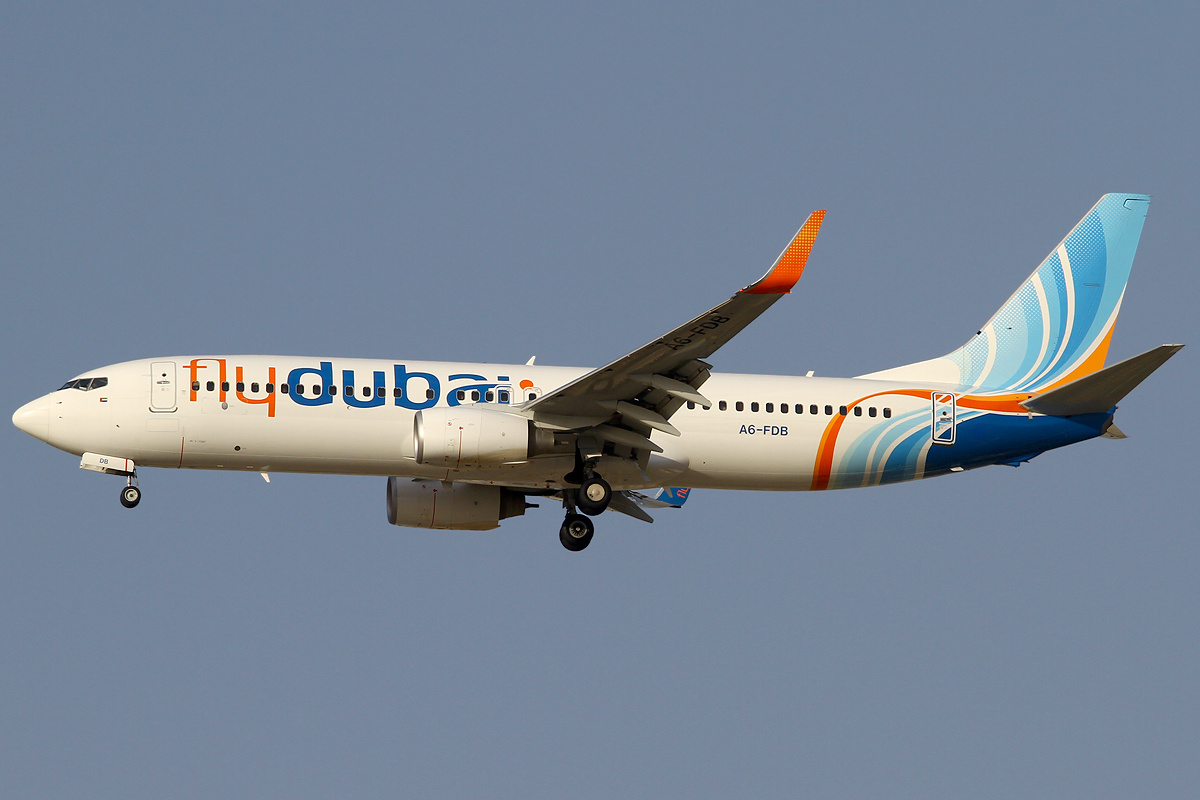
Predicting Flight Delays with Machine Learning: How Fly Dubai Uses AI to Forecast On-Time Performance
1. Introduction: Turning Turbulence into Predictability
When a flight is delayed, it costs airlines a lot of money. The biggest loss is trust. For travelers, even a short delay can ruin their plans. To succeed, airlines must be reliable.
Imagine the challenge for an airline with hundreds of flights every day. Old systems cannot keep up when weather or traffic changes quickly. Most airlines react after delays happen. But what if they could predict them hours before?
That is where machine learning comes in. Airlines like FlyDubai use data to predict delays. They look at history and current conditions to forecast delays before the plane takes off. This gives the team time to fix issues with the crew or gates.
At the center of this is a smart computer system. This helps airlines learn from new data and make better predictions every day.
2. Understanding the Problem: One Delay Leads to Another
Every flight has two parts, leaving and arriving. These two are connected. If a plane is late going one way, it will likely be late coming back.
Let’s look at an example. A plane flying from Dubai to Karachi gets delayed because of bad weather. That same plane has to fly back to Dubai later. Because it arrived late, it will leave late again. This affects the next group of passengers and crew. It creates a chain of delays.
This is a big problem for airlines. One delay causes another. A late flight out means a late flight in. It becomes a loop.
Many things cause this:
- Weather issues like storms.
- Plane type and how long it takes to get ready.
- Crew hours because pilots can only work for so long.
- Busy airports where planes have to wait.
- Air traffic rules that limit flights.
Imagine hundreds of flights every day. You can see why it is hard to stop delays.
Airlines work in a world where data changes every minute. Weather updates and gate changes happen all the time. A computer model built on old data might be wrong today.
This creates another problem called model decay. Even a good model can become bad over time if the world changes. New flight paths or seasons make the old data less useful.
That is why airlines need a smart system. They need a system that learns on its own. It should know when things change and fix itself.
The goal isn’t just to predict one delay. It is about managing the whole system where everything is connected.
3. The ML Pipeline Architecture
In aviation, data moves very fast. We need to handle it well. First, we must answer: what is aws data pipeline? It is a service that helps move data easily. Fly Dubai uses scalable data pipelines to handle millions of data points. This helps them adapt to changes in real time.
Think of it as a digital twin of the airline. It is a living system where data flows smoothly. This is sometimes called a datapipe aws solution. It goes from getting data to making predictions without any manual work.
3.1 Data Ingestion:
Every journey begins with getting the data. Aws data pipeline helps here. The system pulls current and past data from many places like schedules, logs, and weather reports. You might ask, what is data pipeline in aws used for here? It connects all these data sources. The data is checked and stored in a data lakehouse. This makes sure everything is ready for the next steps.
3.2 Feature Engineering & Storage
Once we have the data, we need to make it useful. This step is called feature engineering. It turns raw numbers into helpful hints for the computer.
Some examples are:
- Average delay for a specific route.
- How long it takes to turn a plane around.
- How busy an airport is.
- How tired the crew might be.
All these hints are stored in a central place called a Feature Store. This keeps everything organized. It helps different computer models use the same information to learn.
3.3 Model Training
The heart of the system is where the learning happens. Instead of writing new code for every model, the team uses a configuration file options. This file tells the system what data to use and how to learn.
When new data comes in, the system starts learning automatically. It uses powerful cloud computers to build many models at once. For example:
- Yes or No models to guess if a flight will be delayed.
- Number models to guess how many minutes the delay will be.
The best models are saved and ready to be used.
3.4 Batch Inference
Every day, the system wakes up and starts predicting. It looks at the flight schedule for the day. It uses the best models to make a forecast for every flight.
The results are shown on a real time kpi dashboard. This helps the team see what is happening right away using tools like Power BI or Tableau. They can see:
- Which flights might be late.
- Where they need extra planes or crew.
- When to tell passengers about a delay.
This happens automatically. No one has to push a button. It gives the airline a clear view of the future.
3.5 Drift Detection & Continuous Retraining
A good system keeps learning. The world changes, and the data changes too. This is called drift.
The system watches for drift. It checks if the new data looks different from the old data. It uses math tests to find small differences.
If the data changes too much, the system knows it needs to learn again. It starts a new training session with the latest data. This keeps the predictions accurate even as things change.
3.6 A Flexible System
This system is built to be flexible. By using simple configuration files, it can handle many different jobs:
- Predicting flight delays.
- Planning crew schedules.
- Guessing when planes need repair.
- Understanding what passengers want.
A small change in the file can update the whole system. This makes it easy to maintain and ready for the future.
4. Data Transformation & Feature Engineering
Airlines create a lot of data every second. This includes departure times, aircraft numbers, and weather reports. Raw data is messy. It is like crude oil. It needs to be cleaned before we can use it. This process is called data transformation.
In Fly Dubai’s system, this step is very important. It turns messy data into clean information that helps predict delays.
4.1 The Pre-Flight Checklist: Data Transformation
Before the computer can learn, the data must be checked. This is like a pre-flight safety check.
Data comes from many places. Some timestamps are different. Some records are missing. The system fixes these problems automatically:
- It fixes time zones so they all match.
- It fills in missing numbers with smart guesses.
- It combines data from different sources into one record.
- It removes mistakes like impossible flight times.
This is all controlled by simple text files, so engineers don’t have to rewrite code to make changes.
    # Step 2: Create cyclical features (Feature Engineering)
    # Convert hours/days into circles so 23:00 is close to 00:00
    df["lt_hr_sin"] = np.sin(2 * np.pi * df["lt_hr"] / 23)
    df["lt_hr_cos"] = np.cos(2 * np.pi * df["lt_hr"] / 23)

    # Step 3: Merge previous flight delay information
    # If the plane was late arriving, it will likely be late leaving
    df = df.merge(
        df[["flight_key", "delay", "delay_code"]],
        how="left",
        left_on="previous_flight_key",
        right_on="flight_key",
    )
Engineering the Features that Predict Delays
After cleaning, we create features. These are the signals that help the model decide if a flight will be late.
For example:
- Time features: What hour is the flight? What day of the week?
- Plane features: What type of plane is it? How long does it need on the ground?
- Weather features: Is there a storm? Is the airport busy?
- History features: Has this flight been late recently?
These features give the computer the context it needs to make a good guess.
The Feature Store – Single Source of Truth
To make sure everyone uses the same data, Fly Dubai uses a Feature Store. It is a central library for data features.
This means:
- Training and predicting use the exact same definitions.
- Every feature is tracked and saved.
- Different teams can share features for different projects.
This makes the data reliable and easy to trust.
Automated Data Validation
Before data is used, a checker makes sure it looks right. If something strange happens, like a new plane type appears, the system flags it.
This prevents bad data from breaking the predictions. It helps the system heal itself.
Why It Matters
This preparation is key. Every piece of data is a clue. A small change in time or weather can make a big difference.
By turning operations into data, airlines can see delays coming. This saves money and keeps passengers happy.
Model Training & Evaluation
Once the data is ready, we teach the computer. This is called training. The system learns the patterns of the airline.
It learns things humans might miss. It finds connections between busy airports, crew schedules, and weather.
1. A Simple Training Engine
Old ways of training were slow and manual. Fly Dubai uses a modern way. Everything is controlled by a config file.
This file says:
- What data to use.
- Which math method to use.
- What settings to tune.
- Where to save the result.
To change a model, you just change the text file. You don’t need to be a coder.
training:
  # Common hyperparameters for both classification and regression
  common_hyperparameters:
    model-type: "{model_type}"    # classification or regression
    model-name: "{model_name}"
    cv-folds: 5
    iterations: 200
    depth: 6
    learning-rate: 0.1
    l2-leaf-reg: 3.0

  # Classification-specific hyperparameters
  classification_hyperparameters:
    loss-function: "Logloss"
    eval-metric: "AUC"
    target_col: "target"
2. Multiple Models for Better Answers
Predicting delays asks two questions:
- Will it be late? (Yes or No)
- How late will it be? (How many minutes)
The system trains different models for each question. It trains models for leaving flights and returning flights separately.
This gives a complete picture. It tells the airline the risk and the impact.
High-Performance Training
Training on millions of flights takes a lot of computer power. The system uses cloud services like Amazon SageMaker. It can turn on many computers at once to do the work fast.
This makes training quick and consistent. It scales up when there is more data.
    # Create appropriate model based on task type
    logger.info(f"Creating {args.model_type} model")
    if args.model_type == "classification":
        model = CatBoostClassifier(**params)
        logger.info("CatBoostClassifier created successfully")
    else:  # regression
        model = CatBoostRegressor(**params)
        logger.info("CatBoostRegressor created successfully")

    logger.info("Starting model training with validation set")
    model.fit(train_pool, eval_set=val_pool, use_best_model=True)
    logger.info("Model training completed successfully")
Model Evaluation – Checking Real Performance
A model is only good if it works in the real world. The system checks how well the model guesses.
It looks at:
- Accuracy: How often is it right?
- Error: How far off were the minutes?
This makes sure the answers are useful for real decisions.
Selecting the Best Model
After training, the system picks the winner. It compares all the new models. The best one is saved in a Model Registry.
This keeps a history of every model. We can always see which one was used.
A Feedback Loop
The system keeps learning. As new planes fly and new data comes in, the models get retrained. This keeps them smart even when things change like seasons or schedules.
Batch Inference & Daily Forecasting
Training is just the start. The real value comes from using the models every day.
Batch Inference means making predictions for a whole group of flights at once. This runs every morning.
1. The Daily Flight Forecast
Before the first flight leaves, the system looks at the schedule for the next 24 hours. It grabs all the data about planes, weather, and passengers.
In minutes, it creates a delay forecast for every flight.
Fully Automated Pipeline
This happens automatically. The system:
- Loads the best model.
- Gets the fresh data.
- Runs the risk check.
- Runs the time estimate.
- Saves the results.
No one has to do anything. It just works.
def predict_fn(input_data: pd.DataFrame, model):
    """Run inference (regression or classification)."""

    # Apply the same sanitization as in training
    cat_cols_in_input = sanitize_cats(input_data)

    logger.info(f"Input shape: {input_data.shape}")

    # Create Pool for CatBoost
    pool = Pool(input_data, cat_features=cat_cols_in_input)

    # Generate predictions
    if _task == "classification" and hasattr(model, "predict_proba"):
        proba = np.asarray(model.predict_proba(pool))
        preds = proba[:, 1] # Probability of delay
    else:
        preds = model.predict(pool) # Minutes of delay

    return np.asarray(preds).reshape(-1)
Dual Prediction Output
The system gives two answers:
✔ Delay Probability
“How likely is a delay?” This warns the team about risks.
✔ Delay Duration Estimate
“How many minutes late?” This helps them plan fixes.
Together, these give a full view of the day.
4. Feeding Predictions into Live Dashboards
The predictions go straight to a real time kpi dashboard. Tools like Power BI show the data clearly.
The dashboard shows:
- Heatmaps of risk.
- Lists of likely delays.
- Problems with specific routes.
Managers can see exactly where they need to help. It becomes a command center for the airline.
5. Closing the Loop
The system learns from its own work. It saves the predictions and compares them to what really happened.
This creates new data for learning. It helps find errors and improve the next model. It is a cycle that keeps getting better.
Monitoring & Model Drift Detection
Airlines change fast. New routes and weather patterns appear. A model from six months ago might not know about today’s problems.
That is why we need monitoring. We must check if the model is still working well.
1. The Watchtower
Think of monitoring like a watchtower. It looks at every prediction. It checks checks if the answers are accurate.
If the model starts making mistakes, the system raises a flag.
2. Understanding Drift & Its Benefits
Drift means things have changed.
📌 Data Drift
Concept: The input data changes. Maybe a new route opens (like Dubai to London) or passenger habits change (more people travel in summer). The “questions” getting asked to the model are new.
Benefit of Detecting It: Detecting data drift tells us that the world has changed. It alerts us before the model fails. We can fix the data or update our understanding of the new reality without waiting for customers to complain.
📌 Model Drift
Concept: The rules of the world change. Maybe an airport gets better at handling traffic, so heavy rain doesn’t cause as many delays as before. The old logic (Rain = Delay) is now wrong.
Benefit of Detecting It: Monitoring model drift ensures our decisions are always based on the current truth, not last year’s truth. It keeps the business efficient and reliable.
3. Finding Drift with Math
The system uses math to find these changes. It compares new data to old data.
- Standard Tests: Check if the numbers have shifted.
- Pattern Checks: Look for changes in categories like airports.
- Probability Checks: See if the risk scores are moving.
This acts like a radar to spot trouble early.
    def detect_numerical_drift(self, train_col, inference_col, feature_name):
        """
        Check if the new data (inference) looks different from old data (train).
        """
        # 1. KS Test - Compare distributions
        ks_stat, p_value = ks_2samp(train_col, inference_col)

        # 2. Population Stability Index (PSI)
        psi = self.calculate_psi_numerical(train_col, inference_col)

        # 3. Check for severe drift
        drift_detected = False
        if psi > 0.1: # Significant change
             drift_detected = True

        return {
            'feature': feature_name,
            'drift_detected': drift_detected,
            'psi': psi,
            'p_value': p_value
        }
4. Tracking Performance
As flights land, we know the real arrival time. We compare this to the prediction.
- We measure the error in minutes.
- We check the accuracy of the risk score.
- We see if the error is getting worse over time.
If errors go up, we know the model is drifting.
5. Alerts and Safeguards
When drift is found, the system acts. It sends alerts to the team. It logs the problem.
This makes sure no one ignores a failing model.
6. Self-Healing
If the drift is bad enough, the system heals itself.
- It gets the newest data.
- It trains new models.
- It checks if the new models are better.
- It puts the best new model into action.
This keeps the system healthy and accurate, automatically.