Your cart is currently empty!
Category: AI & Machine Learning Solutions
Unlock the power of AI solutions and machine learning technologies to drive innovation across industries. From predictive analytics and natural language processing to deep learning frameworks, our case studies and trend analyses showcase real-world applications that boost productivity, reduce costs, and foster smarter decision‑making. Learn how retail giants leverage recommendation engines, how healthcare providers improve diagnostics with image analysis, and how finance firms detect fraud in real time. Whether you’re a data scientist, CTO, or business leader, you’ll find actionable insights and best practices for integrating AI into your operations. Ready to transform your enterprise with cutting‑edge machine learning? Dive into our AI & Machine Learning hub now!
-

Google Genie 3: Everything You Need to Know About DeepMind’s Revolutionary AI World Model
Imagine typing a simple sentence like “a sunny beach with palm trees and gentle waves” and instantly finding yourself inside that world, able to walk around, interact with objects, and watch the environment respond to your actions in real-time. This is no longer science fiction. Google DeepMind’s Genie 3 has made this a reality, representing one of the most significant breakthroughs in artificial intelligence since the emergence of large language models.
In this comprehensive guide, we’ll explore everything you need to know about Genie 3 AI, including how it works, how you can try it yourself, its remarkable features, and why experts believe it could be a crucial stepping stone toward artificial general intelligence (AGI).
What is Genie 3?
Genie 3 is a foundation world model developed by Google DeepMind, officially released on August 5, 2025. Unlike traditional AI systems that generate static images or videos, Genie 3 creates fully interactive, dynamic 3D environments that users can explore and manipulate in real-time. This makes it the first real-time interactive general-purpose world model ever created.
According to Shlomi Fruchter, a research director at DeepMind, “Genie 3 is the first real-time interactive general-purpose world model. It goes beyond narrow world models that existed before. It’s not specific to any particular environment. It can generate both photo-realistic and imaginary worlds.”
The significance of Genie 3 extends far beyond entertainment. DeepMind positions this technology as a critical component in the development of AGI, particularly for training embodied AI agents that need to understand and interact with the physical world. By creating realistic simulations of real-world scenarios, Genie 3 provides a safe and scalable environment for AI systems to learn complex tasks.
Genie 3 Release Date and Development History
The Genie 3 release date was August 5, 2025, marking a major milestone in the evolution of world models. The technology builds upon its predecessors, Genie 1 and Genie 2, as well as DeepMind’s acclaimed video generation model, Veo 3. Each iteration has brought substantial improvements in realism, interactivity, and performance.
Google DeepMind has been working on world models for several years, recognizing their potential to revolutionize how AI systems understand physical reality. The release of Genie 3 coincided with a broader industry shift toward world models, with other major players like Yann LeCun’s AMI Labs entering the space with significant investments.
Following the research release, Google launched Project Genie in early 2026, a consumer-facing prototype that allows users to experience Genie 3’s capabilities firsthand through a web application.
Key Features and Capabilities of Genie 3
Real-Time Interactive Generation
One of the most impressive aspects of Genie 3 is its ability to generate dynamic worlds at 24 frames per second in 720p resolution. Users can navigate these environments in real-time, making decisions and taking actions that the AI responds to instantly. This real-time capability sets Genie 3 apart from previous world models that required pre-rendering or couldn’t handle interactive input.
The environments created by Genie 3 are described as “auto-regressive,” meaning they are generated frame by frame based on the world description and user actions. This approach enables genuine interactivity rather than simply playing back pre-recorded content.
Self-Learned Physics
Perhaps the most remarkable technical achievement of Genie 3 is its physics simulation. Unlike traditional game engines or simulation software that rely on hardcoded physics rules, Genie 3 learned physics through self-supervised learning. This means the AI taught itself how gravity, fluid dynamics, lighting effects, and collision detection work by analyzing vast amounts of real-world data.
The result is environments that feel naturally physical without being explicitly programmed to follow specific rules. Objects fall realistically, water flows naturally, and light behaves as it would in the real world. This emergent understanding of physics represents a significant advancement in AI’s ability to model reality.
Advanced Memory System
Genie 3 features a sophisticated memory system that allows it to remember events and changes for up to one minute. If you move an object, drop something, or make any change to the environment, the AI remembers that modification and maintains consistency as you continue exploring.
This memory capability is crucial for creating coherent experiences. Without it, the world would constantly “forget” your actions, breaking immersion and making meaningful interaction impossible. The system recalls changes from specific interactions for extended periods, enabling coherent sequences of exploration and manipulation.
Photorealistic and Imaginary Worlds
Genie 3 demonstrates remarkable versatility in the types of environments it can create. It can generate photorealistic simulations of real-world locations, from busy city streets to serene natural landscapes. Equally impressive is its ability to create entirely imaginary worlds that have never existed, from fantasy realms to futuristic cityscapes.
This flexibility makes Genie 3 useful across a wide range of applications, from practical training simulations to creative expression and entertainment.
Dynamic Environment Modification
Users can modify Genie 3 environments on the fly through text prompts. Want to change the weather from sunny to rainy? Simply type the command. Need to add new objects or characters to the scene? Genie 3 can incorporate these changes in real-time without requiring a full regeneration of the environment. This promptable world events feature enables dynamic modification of ongoing experiences.
How Genie 3 Works: Technical Deep Dive
Understanding how Genie 3 achieves its remarkable capabilities requires exploring its technical architecture.
Auto-Regressive Frame Generation
Genie 3 environments are generated frame by frame in an auto-regressive manner. Each new frame is created based on three inputs: the original world description, the user’s recent actions, and the memory of previous frames. This approach differs significantly from pre-rendered 3D environments or traditional video generation.
The auto-regressive method allows for genuine interactivity because the system continuously adapts to user input rather than playing back pre-determined content. This is what enables the real-time responsiveness that makes Genie 3 feel so immersive.
Building on Genie 2 and Veo 3
Genie 3 represents an evolution of DeepMind’s earlier work. It builds upon the foundation laid by Genie 2, which introduced the concept of interactive world generation, while incorporating advances from Veo 3, DeepMind’s video generation model. This combination allows Genie 3 to achieve both visual quality and interactivity simultaneously.
Self-Supervised Physics Learning
The physics simulation in Genie 3 emerges from self-supervised learning, an approach where the model learns patterns and relationships from unlabeled data by generating its own learning signals. Rather than being explicitly taught that objects fall downward or that water flows, Genie 3 discovered these principles by observing countless examples of real-world physics in action.
This learned physics proves more flexible and generalizable than hardcoded rules, allowing the system to handle novel situations that might confuse traditional physics engines. The AI essentially developed an intuitive understanding of how the physical world operates.
How to Use Genie 3: A Complete Guide
If you’re wondering how to use Genie 3, there are several ways to experience this groundbreaking technology depending on your location and subscription status.
Project Genie Web App
The most accessible way to try Genie 3 is through Project Genie, Google’s prototype web application built on Genie 3 technology along with Nano Banana Pro and Gemini. This platform allows users to generate and explore short interactive environments from text or image prompts.
The interface is intuitive: describe the world you want to create, and Genie 3 generates it for you to explore. You can move through the AI-generated scenes in real time, experiencing the environment as it responds to your actions.
Currently, Project Genie is available to Google AI Ultra subscribers in the United States who are 18 years or older. While this limits initial access, Google has indicated plans to expand availability over time.
Official DeepMind Demos
Google DeepMind’s official blog post about Genie 3 includes several interactive demos that anyone can try. These demos showcase the technology’s capabilities across different scenarios, including exploring snowy landscapes and navigating museum environments with specific goals.
These Genie 3 demos provide an excellent introduction to the technology’s capabilities without requiring any subscription, making them ideal for those who want to understand what the technology can do before committing to a paid service.
Research Preview Access
For academics, researchers, and select creators, DeepMind offers a limited research preview program. This provides more extensive access to Genie 3’s capabilities for those working on world model research, AI development, or creative applications.
DeepMind announced Genie 3 as a limited research preview, providing early access to a small cohort of academics and creators. While broader access remains limited, the company has expressed interest in expanding access but hasn’t committed to specific timelines.
Genie 3 vs Previous World Models: What’s Different?
Genie 3 represents a significant leap forward compared to previous approaches to world modeling and 3D environment generation.
Compared to Genie 2
While Genie 2 introduced the concept of interactive world generation, Genie 3 improves upon it in several key areas. The newer model offers better visual consistency, more realistic physics, extended memory duration, and true real-time performance. Genie 3 is DeepMind’s first world model to allow interaction in real-time while also improving consistency and realism compared to its predecessor.
Advantages Over NeRFs and Gaussian Splatting
Neural Radiance Fields (NeRFs) and Gaussian Splatting have gained popularity for creating 3D representations from 2D images. However, these approaches create static scenes from existing photographs rather than generating novel content.
Genie 3 environments are far more dynamic and detailed than these methods because they’re auto-regressive—created frame by frame based on the world description and user actions. This enables genuine interactivity and the creation of entirely new environments that never existed.
Real-Time vs Pre-Rendered
Traditional approaches to AI-generated 3D content typically require significant processing time to render each frame or scene. Genie 3’s real-time capability fundamentally changes what’s possible, enabling genuine interactivity and applications that weren’t feasible with pre-rendered content.
Potential Applications of Genie 3 World Models
The applications of Genie 3 world models extend across numerous industries and use cases, from entertainment to scientific research.
Gaming and Entertainment
The most obvious application is in gaming and entertainment. Genie 3 could enable procedurally generated game worlds that respond dynamically to player actions, creating unique experiences for each player. While it’s important to note that Genie 3 is not a game engine and doesn’t include traditional game mechanics, its ability to create immersive, interactive environments opens new possibilities for entertainment.
Education and Training
Educational applications are equally promising. Students could explore historical settings, scientific environments, or abstract concepts in immersive 3D spaces. Training simulations for various professions could be generated on demand, providing realistic practice environments without the cost and logistics of physical simulations.
Robotics and AI Agent Development
DeepMind emphasizes that training AI agents represents perhaps the most significant application of Genie 3. As they state, “We think world models are key on the path to AGI, specifically for embodied agents, where simulating real world scenarios is particularly challenging.”
By creating realistic simulations of real-world scenarios, researchers can train robots and AI systems to handle complex tasks without the risks and costs associated with physical world training. This capability could accelerate the development of general-purpose robots and autonomous systems.
Creative Prototyping
Artists, designers, and creators can use Genie 3 to rapidly prototype concepts and visualize ideas. Architects could walk through buildings before they’re built, filmmakers could scout virtual locations, and game designers could test level concepts instantly.
Current Limitations of Genie 3
Despite its impressive capabilities, Genie 3 has several limitations that users should understand before diving in.
Duration Constraints
Currently, Genie 3 can support a few minutes of continuous interaction rather than extended sessions. Project Genie generations are limited to 60 seconds. While the memory system maintains consistency for up to a minute, longer experiences may encounter inconsistencies or require periodic regeneration.
Limited Action Range
There’s a limited range of actions that agents can carry out within Genie 3 environments. Complex manipulations or highly specific interactions may not work as expected. DeepMind continues to expand the action vocabulary, but current capabilities are still constrained compared to purpose-built game engines.
Multi-Agent Challenges
Accurately modeling interactions between multiple independent agents in shared environments remains an ongoing research challenge. Current implementations handle single-user experiences well but struggle with complex multi-agent scenarios.
Imperfect Real-World Accuracy
While Genie 3 can create convincing environments, it cannot yet simulate real-world locations with perfect accuracy. Generated worlds may contain inconsistencies or inaccuracies when attempting to recreate specific places.
The Future of Genie 3 and World Models
The release of Genie 3 signals a new era in AI development focused on world understanding and simulation. The world models paradigm exploded into mainstream AI development in late 2025 and early 2026, with significant investments flowing into the space.
Yann LeCun’s AMI Labs represents one of the largest bets on world models, raising substantial funding at a multi-billion dollar valuation. This industry-wide interest suggests that world models like Genie 3 represent a fundamental shift in how we approach AI development.
DeepMind and Google continue investing heavily in world model research, recognizing its importance for the future of AI. As the technology matures, we can expect expanded access, improved capabilities, and entirely new applications that we haven’t yet imagined.
Conclusion
Google DeepMind’s Genie 3 represents a genuine breakthrough in artificial intelligence, bringing us closer to AI systems that truly understand and can interact with the physical world. Its ability to generate real-time, interactive 3D environments from simple text prompts opens doors to applications in gaming, education, robotics, and beyond.
The technology’s self-learned physics, advanced memory system, and real-time generation capabilities set a new standard for what world models can achieve. While current limitations around duration and access exist, the trajectory of development suggests these constraints will continue to diminish.
Whether you’re a researcher interested in world models, a developer exploring new possibilities, or simply curious about cutting-edge AI technology, Genie 3 offers a glimpse into a future where the boundaries between imagination and reality become increasingly blurred.
To try Genie 3 yourself, visit Google’s Project Genie through Google Labs if you’re a Google AI Ultra subscriber in the US, or explore the demos available on DeepMind’s official blog. As this technology continues to evolve, we’re witnessing the early stages of a transformation in how we create, explore, and interact with digital worlds.
Sources:
-

Predicting Flight Delays with Machine Learning: How Fly Dubai Uses AI to Forecast On-Time Performance
1. Introduction: Turning Turbulence into Predictability
When a flight is delayed, it costs airlines a lot of money. The biggest loss is trust. For travelers, even a short delay can ruin their plans. To succeed, airlines must be reliable.
Imagine the challenge for an airline with hundreds of flights every day. Old systems cannot keep up when weather or traffic changes quickly. Most airlines react after delays happen. But what if they could predict them hours before?
That is where machine learning comes in. Airlines like FlyDubai use data to predict delays. They look at history and current conditions to forecast delays before the plane takes off. This gives the team time to fix issues with the crew or gates.
At the center of this is a smart computer system. This helps airlines learn from new data and make better predictions every day.
2. Understanding the Problem: One Delay Leads to Another
Every flight has two parts, leaving and arriving. These two are connected. If a plane is late going one way, it will likely be late coming back.
Let’s look at an example. A plane flying from Dubai to Karachi gets delayed because of bad weather. That same plane has to fly back to Dubai later. Because it arrived late, it will leave late again. This affects the next group of passengers and crew. It creates a chain of delays.
This is a big problem for airlines. One delay causes another. A late flight out means a late flight in. It becomes a loop.
Many things cause this:
- Weather issues like storms.
- Plane type and how long it takes to get ready.
- Crew hours because pilots can only work for so long.
- Busy airports where planes have to wait.
- Air traffic rules that limit flights.
Imagine hundreds of flights every day. You can see why it is hard to stop delays.
Airlines work in a world where data changes every minute. Weather updates and gate changes happen all the time. A computer model built on old data might be wrong today.
This creates another problem called model decay. Even a good model can become bad over time if the world changes. New flight paths or seasons make the old data less useful.
That is why airlines need a smart system. They need a system that learns on its own. It should know when things change and fix itself.
The goal isn’t just to predict one delay. It is about managing the whole system where everything is connected.
3. The ML Pipeline Architecture
In aviation, data moves very fast. We need to handle it well. First, we must answer: what is aws data pipeline? It is a service that helps move data easily. Fly Dubai uses scalable data pipelines to handle millions of data points. This helps them adapt to changes in real time.
Think of it as a digital twin of the airline. It is a living system where data flows smoothly. This is sometimes called a datapipe aws solution. It goes from getting data to making predictions without any manual work.
3.1 Data Ingestion:
Every journey begins with getting the data. Aws data pipeline helps here. The system pulls current and past data from many places like schedules, logs, and weather reports. You might ask, what is data pipeline in aws used for here? It connects all these data sources. The data is checked and stored in a data lakehouse. This makes sure everything is ready for the next steps.
3.2 Feature Engineering & Storage
Once we have the data, we need to make it useful. This step is called feature engineering. It turns raw numbers into helpful hints for the computer.
Some examples are:
- Average delay for a specific route.
- How long it takes to turn a plane around.
- How busy an airport is.
- How tired the crew might be.
All these hints are stored in a central place called a Feature Store. This keeps everything organized. It helps different computer models use the same information to learn.
3.3 Model Training
The heart of the system is where the learning happens. Instead of writing new code for every model, the team uses a configuration file options. This file tells the system what data to use and how to learn.
When new data comes in, the system starts learning automatically. It uses powerful cloud computers to build many models at once. For example:
- Yes or No models to guess if a flight will be delayed.
- Number models to guess how many minutes the delay will be.
The best models are saved and ready to be used.
3.4 Batch Inference
Every day, the system wakes up and starts predicting. It looks at the flight schedule for the day. It uses the best models to make a forecast for every flight.
The results are shown on a real time kpi dashboard. This helps the team see what is happening right away using tools like Power BI or Tableau. They can see:
- Which flights might be late.
- Where they need extra planes or crew.
- When to tell passengers about a delay.
This happens automatically. No one has to push a button. It gives the airline a clear view of the future.
3.5 Drift Detection & Continuous Retraining
A good system keeps learning. The world changes, and the data changes too. This is called drift.
The system watches for drift. It checks if the new data looks different from the old data. It uses math tests to find small differences.
If the data changes too much, the system knows it needs to learn again. It starts a new training session with the latest data. This keeps the predictions accurate even as things change.
3.6 A Flexible System
This system is built to be flexible. By using simple configuration files, it can handle many different jobs:
- Predicting flight delays.
- Planning crew schedules.
- Guessing when planes need repair.
- Understanding what passengers want.
A small change in the file can update the whole system. This makes it easy to maintain and ready for the future.
4. Data Transformation & Feature Engineering
Airlines create a lot of data every second. This includes departure times, aircraft numbers, and weather reports. Raw data is messy. It is like crude oil. It needs to be cleaned before we can use it. This process is called data transformation.
In Fly Dubai’s system, this step is very important. It turns messy data into clean information that helps predict delays.
4.1 The Pre-Flight Checklist: Data Transformation
Before the computer can learn, the data must be checked. This is like a pre-flight safety check.
Data comes from many places. Some timestamps are different. Some records are missing. The system fixes these problems automatically:
- It fixes time zones so they all match.
- It fills in missing numbers with smart guesses.
- It combines data from different sources into one record.
- It removes mistakes like impossible flight times.
This is all controlled by simple text files, so engineers don’t have to rewrite code to make changes.
    # Step 2: Create cyclical features (Feature Engineering)
    # Convert hours/days into circles so 23:00 is close to 00:00
    df["lt_hr_sin"] = np.sin(2 * np.pi * df["lt_hr"] / 23)
    df["lt_hr_cos"] = np.cos(2 * np.pi * df["lt_hr"] / 23)

    # Step 3: Merge previous flight delay information
    # If the plane was late arriving, it will likely be late leaving
    df = df.merge(
        df[["flight_key", "delay", "delay_code"]],
        how="left",
        left_on="previous_flight_key",
        right_on="flight_key",
    )
Engineering the Features that Predict Delays
After cleaning, we create features. These are the signals that help the model decide if a flight will be late.
For example:
- Time features: What hour is the flight? What day of the week?
- Plane features: What type of plane is it? How long does it need on the ground?
- Weather features: Is there a storm? Is the airport busy?
- History features: Has this flight been late recently?
These features give the computer the context it needs to make a good guess.
The Feature Store – Single Source of Truth
To make sure everyone uses the same data, Fly Dubai uses a Feature Store. It is a central library for data features.
This means:
- Training and predicting use the exact same definitions.
- Every feature is tracked and saved.
- Different teams can share features for different projects.
This makes the data reliable and easy to trust.
Automated Data Validation
Before data is used, a checker makes sure it looks right. If something strange happens, like a new plane type appears, the system flags it.
This prevents bad data from breaking the predictions. It helps the system heal itself.
Why It Matters
This preparation is key. Every piece of data is a clue. A small change in time or weather can make a big difference.
By turning operations into data, airlines can see delays coming. This saves money and keeps passengers happy.
Model Training & Evaluation
Once the data is ready, we teach the computer. This is called training. The system learns the patterns of the airline.
It learns things humans might miss. It finds connections between busy airports, crew schedules, and weather.
1. A Simple Training Engine
Old ways of training were slow and manual. Fly Dubai uses a modern way. Everything is controlled by a config file.
This file says:
- What data to use.
- Which math method to use.
- What settings to tune.
- Where to save the result.
To change a model, you just change the text file. You don’t need to be a coder.
training:
  # Common hyperparameters for both classification and regression
  common_hyperparameters:
    model-type: "{model_type}"    # classification or regression
    model-name: "{model_name}"
    cv-folds: 5
    iterations: 200
    depth: 6
    learning-rate: 0.1
    l2-leaf-reg: 3.0

  # Classification-specific hyperparameters
  classification_hyperparameters:
    loss-function: "Logloss"
    eval-metric: "AUC"
    target_col: "target"
2. Multiple Models for Better Answers
Predicting delays asks two questions:
- Will it be late? (Yes or No)
- How late will it be? (How many minutes)
The system trains different models for each question. It trains models for leaving flights and returning flights separately.
This gives a complete picture. It tells the airline the risk and the impact.
High-Performance Training
Training on millions of flights takes a lot of computer power. The system uses cloud services like Amazon SageMaker. It can turn on many computers at once to do the work fast.
This makes training quick and consistent. It scales up when there is more data.
    # Create appropriate model based on task type
    logger.info(f"Creating {args.model_type} model")
    if args.model_type == "classification":
        model = CatBoostClassifier(**params)
        logger.info("CatBoostClassifier created successfully")
    else:  # regression
        model = CatBoostRegressor(**params)
        logger.info("CatBoostRegressor created successfully")

    logger.info("Starting model training with validation set")
    model.fit(train_pool, eval_set=val_pool, use_best_model=True)
    logger.info("Model training completed successfully")
Model Evaluation – Checking Real Performance
A model is only good if it works in the real world. The system checks how well the model guesses.
It looks at:
- Accuracy: How often is it right?
- Error: How far off were the minutes?
This makes sure the answers are useful for real decisions.
Selecting the Best Model
After training, the system picks the winner. It compares all the new models. The best one is saved in a Model Registry.
This keeps a history of every model. We can always see which one was used.
A Feedback Loop
The system keeps learning. As new planes fly and new data comes in, the models get retrained. This keeps them smart even when things change like seasons or schedules.
Batch Inference & Daily Forecasting
Training is just the start. The real value comes from using the models every day.
Batch Inference means making predictions for a whole group of flights at once. This runs every morning.
1. The Daily Flight Forecast
Before the first flight leaves, the system looks at the schedule for the next 24 hours. It grabs all the data about planes, weather, and passengers.
In minutes, it creates a delay forecast for every flight.
Fully Automated Pipeline
This happens automatically. The system:
- Loads the best model.
- Gets the fresh data.
- Runs the risk check.
- Runs the time estimate.
- Saves the results.
No one has to do anything. It just works.
def predict_fn(input_data: pd.DataFrame, model):
    """Run inference (regression or classification)."""

    # Apply the same sanitization as in training
    cat_cols_in_input = sanitize_cats(input_data)

    logger.info(f"Input shape: {input_data.shape}")

    # Create Pool for CatBoost
    pool = Pool(input_data, cat_features=cat_cols_in_input)

    # Generate predictions
    if _task == "classification" and hasattr(model, "predict_proba"):
        proba = np.asarray(model.predict_proba(pool))
        preds = proba[:, 1] # Probability of delay
    else:
        preds = model.predict(pool) # Minutes of delay

    return np.asarray(preds).reshape(-1)
Dual Prediction Output
The system gives two answers:
✔ Delay Probability
“How likely is a delay?” This warns the team about risks.
✔ Delay Duration Estimate
“How many minutes late?” This helps them plan fixes.
Together, these give a full view of the day.
4. Feeding Predictions into Live Dashboards
The predictions go straight to a real time kpi dashboard. Tools like Power BI show the data clearly.
The dashboard shows:
- Heatmaps of risk.
- Lists of likely delays.
- Problems with specific routes.
Managers can see exactly where they need to help. It becomes a command center for the airline.
5. Closing the Loop
The system learns from its own work. It saves the predictions and compares them to what really happened.
This creates new data for learning. It helps find errors and improve the next model. It is a cycle that keeps getting better.
Monitoring & Model Drift Detection
Airlines change fast. New routes and weather patterns appear. A model from six months ago might not know about today’s problems.
That is why we need monitoring. We must check if the model is still working well.
1. The Watchtower
Think of monitoring like a watchtower. It looks at every prediction. It checks checks if the answers are accurate.
If the model starts making mistakes, the system raises a flag.
2. Understanding Drift & Its Benefits
Drift means things have changed.
📌 Data Drift
Concept: The input data changes. Maybe a new route opens (like Dubai to London) or passenger habits change (more people travel in summer). The “questions” getting asked to the model are new.
Benefit of Detecting It: Detecting data drift tells us that the world has changed. It alerts us before the model fails. We can fix the data or update our understanding of the new reality without waiting for customers to complain.
📌 Model Drift
Concept: The rules of the world change. Maybe an airport gets better at handling traffic, so heavy rain doesn’t cause as many delays as before. The old logic (Rain = Delay) is now wrong.
Benefit of Detecting It: Monitoring model drift ensures our decisions are always based on the current truth, not last year’s truth. It keeps the business efficient and reliable.
3. Finding Drift with Math
The system uses math to find these changes. It compares new data to old data.
- Standard Tests: Check if the numbers have shifted.
- Pattern Checks: Look for changes in categories like airports.
- Probability Checks: See if the risk scores are moving.
This acts like a radar to spot trouble early.
    def detect_numerical_drift(self, train_col, inference_col, feature_name):
        """
        Check if the new data (inference) looks different from old data (train).
        """
        # 1. KS Test - Compare distributions
        ks_stat, p_value = ks_2samp(train_col, inference_col)

        # 2. Population Stability Index (PSI)
        psi = self.calculate_psi_numerical(train_col, inference_col)

        # 3. Check for severe drift
        drift_detected = False
        if psi > 0.1: # Significant change
             drift_detected = True

        return {
            'feature': feature_name,
            'drift_detected': drift_detected,
            'psi': psi,
            'p_value': p_value
        }
4. Tracking Performance
As flights land, we know the real arrival time. We compare this to the prediction.
- We measure the error in minutes.
- We check the accuracy of the risk score.
- We see if the error is getting worse over time.
If errors go up, we know the model is drifting.
5. Alerts and Safeguards
When drift is found, the system acts. It sends alerts to the team. It logs the problem.
This makes sure no one ignores a failing model.
6. Self-Healing
If the drift is bad enough, the system heals itself.
- It gets the newest data.
- It trains new models.
- It checks if the new models are better.
- It puts the best new model into action.
This keeps the system healthy and accurate, automatically.
-
How Intelligent Bots Streamline Workflows
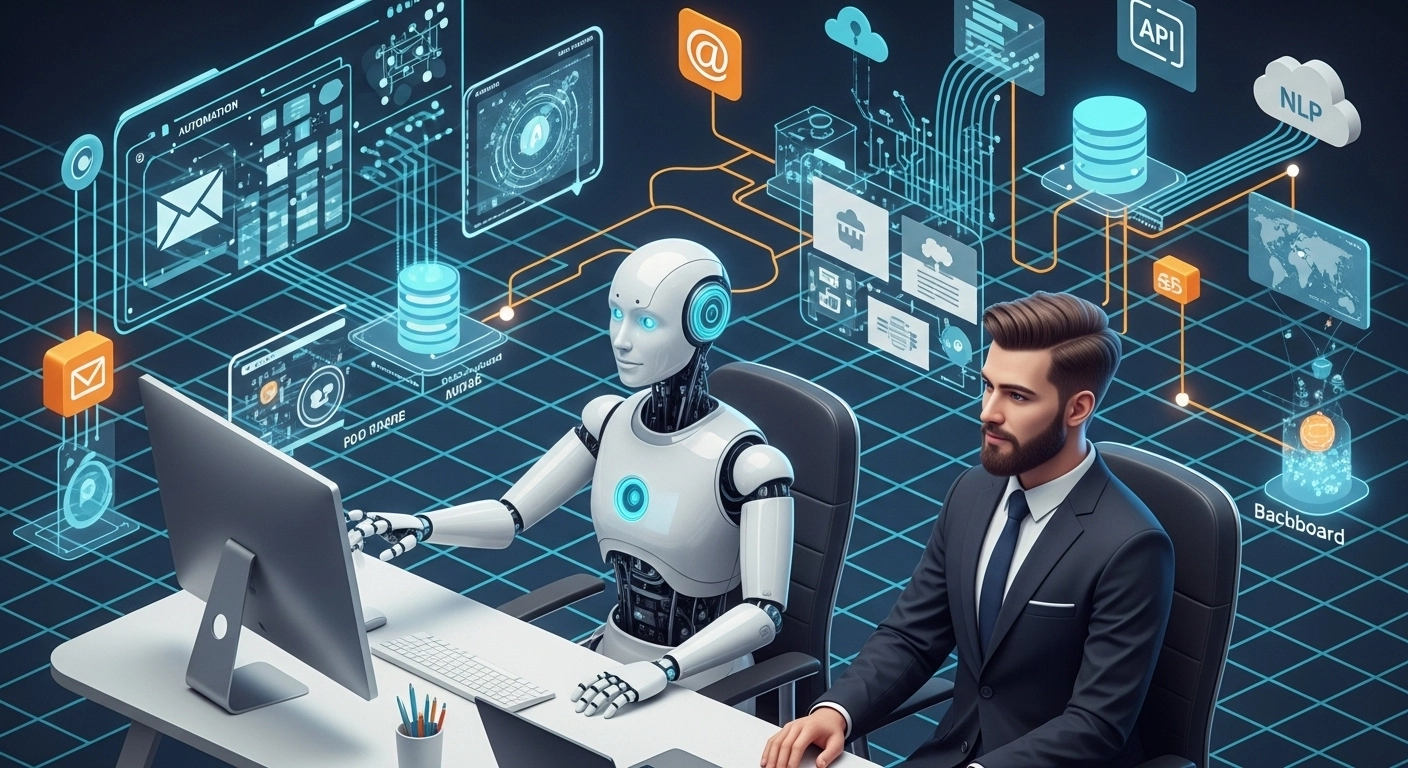
Businesses often struggle with repetitive tasks that consume valuable time and human resources. Intelligent bots are transforming operations by automating processes, reducing manual effort, and ensuring consistent performance.
These bots, powered by technologies like Python, FastAPI, and NLP libraries, can handle tasks such as reading emails, processing forms, updating CRMs, and even interacting with APIs. For example, a customer support bot can analyze incoming messages, categorize them, and assign them to the appropriate team member—instantly.
One of the most impactful uses is in data entry automation. A well-configured bot can pull data from multiple sources (websites, emails, PDFs), process and clean it, and input it into a database. Event-based orchestration allows bots to trigger actions only when specific events occur, reducing resource consumption.
To build such bots, developers typically use workflows combining cron jobs, webhooks, and services like Zapier or AWS Lambda. FastAPI serves as a reliable backend framework to build REST APIs that bots can consume. Adding natural language processing lets bots interpret user queries more effectively.
In short, bots are the workforce of the digital age—working 24/7, error-free, and at scale. Integrating them into your business improves speed, reduces errors, and allows teams to focus on strategic tasks.
-
Boost Efficiency with AI Automation
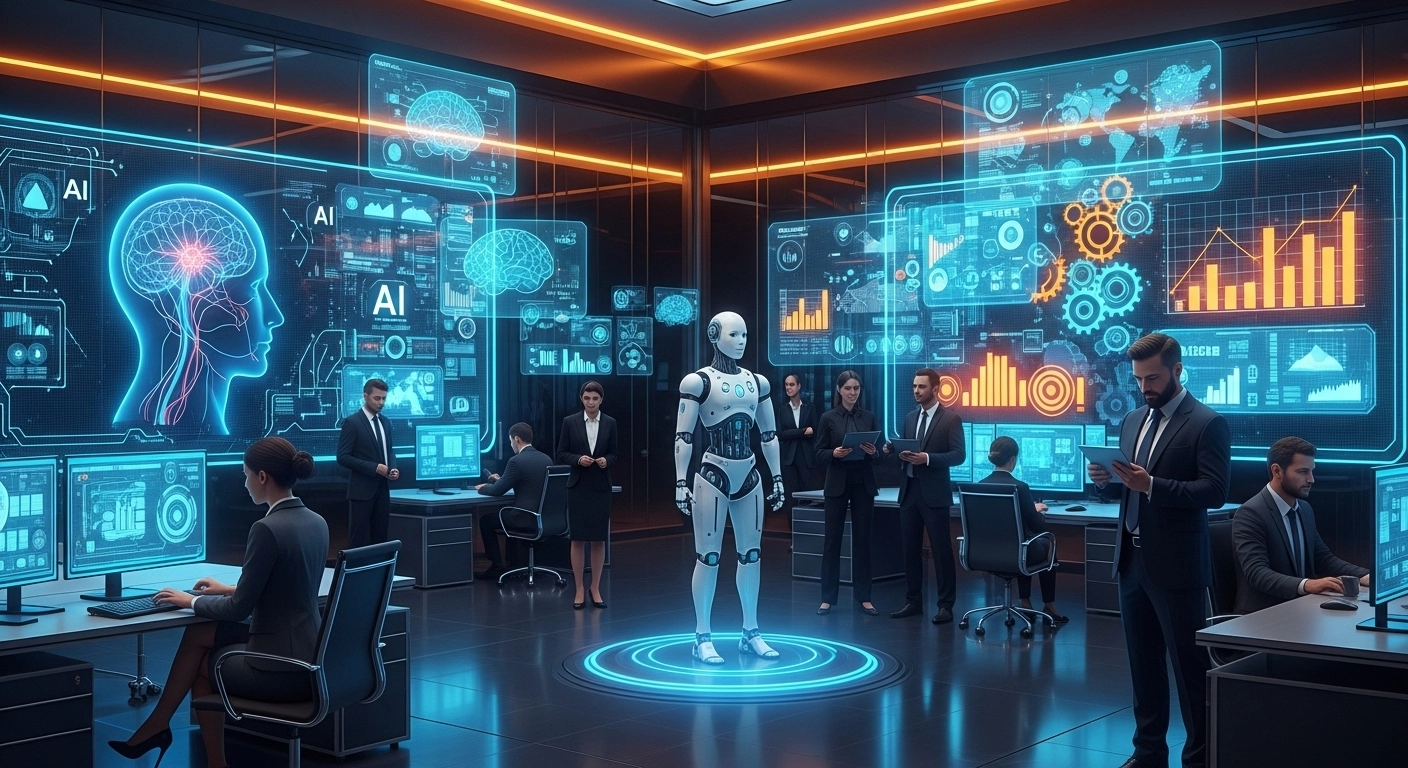
In today’s fast-paced business environment, companies seek smarter ways to improve productivity and reduce manual effort. AI automation, powered by tools like TensorFlow, SageMaker, and Python, is transforming how businesses operate.
Imagine an AI model that automatically reads and categorizes documents, or a chatbot that answers customer queries around the clock. These are no longer futuristic concepts but everyday applications of AI automation.
Document automation uses OCR and NLP to scan, extract, and structure data from invoices, contracts, and reports. Tools like FastAPI let you deploy such systems with minimal overhead. Predictive analytics, meanwhile, helps businesses anticipate demand, reduce churn, and optimize inventory by analyzing historical data.
One real-world example is a logistics company using AI to predict delivery delays by analyzing weather, traffic, and driver behavior. By acting early, they improved customer satisfaction and saved costs.
To succeed with AI automation, start small. Identify repetitive tasks, choose the right model, and test your solution before scaling. Also, make sure your team understands both the business problem and the tech stack.
AI isn’t about replacing jobs—it’s about enhancing human capabilities. With smart planning, your business can unlock powerful efficiencies and gain a competitive edge.